Translate

Showing posts with label Downloads. Show all posts

Tuesday, 29 September 2015

Start Hacking From the very Beginning Pt.3 (Download eBook Hacking For Dummies 3rd Ed in PDF format)

Want to Learn Hacking......


  Third Step....
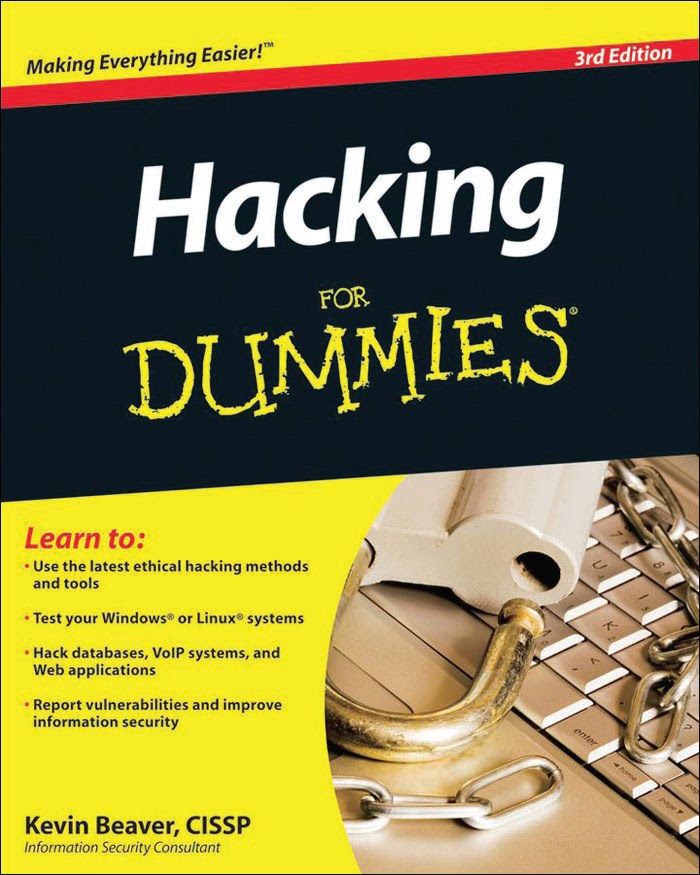


About This Book

Hacking For Dummies, 3rd Edition, is a reference guide on hacking your systems
to improve security. The ethical hacking techniques are based on written
and unwritten rules of computer system penetration testing, vulnerability
testing, and information security best practices. This book covers everything
from establishing your hacking plan to testing your systems to plugging
the holes and managing an ongoing ethical hacking program. Realistically,
for many networks, operating systems, and applications, thousands of possible
hacks exist. I cover the major ones on various platforms and systems.
Whether you need to assess security vulnerabilities on a small home office
network, a medium-sized corporate network, or across large enterprise systems,
Hacking For Dummies, 3rd Edition, provides the information you need.


 Different Section Included In This Book

Part I: Building the Foundation
for Ethical Hacking

Part II: Putting Ethical Hacking in Motion

Part III: Hacking the Network

Part IV: Hacking Operating Systems

Part V: Hacking Applications

Part VI: Ethical Hacking Aftermath

Part VII: The Part of Tens

About The Author

by- Kevin Beaver

As founder and principal consultant of Principle Logic, LLC, Kevin Beaver
has over 16 years of experience in IT and specializes in information security.
Before starting his own information security services business, Kevin served
in various information technology and security roles for several Fortune
500 corporations and a variety of consulting, e-commerce, and educational
institutions. In addition to ethical hacking, his areas of information security
expertise include network and wireless network security, e-mail and instant
messaging security, and incident response
Kevin is also author of the book The Definitive Guide to Email Management and
Security by Realtimepublishers.com and co-author of the book The Practical
Guide to HIPAA Privacy and Security Compliance by Auerbach Publications. In
addition, he is technical editor of the book Network Security For Dummies by
Wiley Publishing, and a contributing author and editor of the book Healthcare
Information Systems, 2nd ed. by Auerbach Publications.
Kevin is a regular columnist and information security expert advisor for
SearchSecurity.com and SearchMobileComputing.com and is a Security Clinic
Expert for ITsecurity.com. In addition, his information security work has been
published in Information Security Magazine, HIMSS Journal of Healthcare
Information Management, Advance for Health Information Executives as well
as on SecurityFocus.com. Kevin is an information security instructor for the
Southeast Cybercrime Institute and also frequently speaks on information
security at various workshops and conferences around the U.S. including
TechTarget’s Decisions conferences, CSI, and the Southeast Cybercrime
Summit.
Kevin is the founder and president of the Technology Association of Georgia’s
Information Security Society and serves as an IT advisory board member for
several universities and companies around the southeast. Kevin earned his
bachelor’s degree in Computer Engineering Technology from Southern Polytechnic
State University and his master’s degree in Management of Technology
from Georgia Tech. He also holds CISSP, MCSE, Master CNE, and IT Project+
certifications. Kevin can be reached at kbeaver@principlelogic.com.


  Note:- If you want to read the Part 2nd of this page click here

  Note:- If you want to read the Part 1st of this page click here


Wednesday, 4 February 2015

Start Hacking From the very Beginning Pt.2 (Download eBook Hacking For Dummies 2nd Ed in PDF format)

Want to Learn Hacking......


Second Step....

After the very first step in my last post for the beginners here I am taking you to next.This is a whole new level to hacking and I think this time you are going to learn a lots and lots of interesting thing.

We all have a Wi-Fi connection even your neighbor must having one and I tried to hack it and I think you all must have been trying and after when you got failed you just stopped trying now its time for you to learn and know behind the scenes, actually whats happening behind the network, and how wireless network work, what are its vulnerabilities and the very final step how to take advantage of those vulnerabilities and get into the network access.


With the help of this e-book you can get all the knowledge of Wireless Networks and I know this is for the very beginners so if you have no knowledge of Networks and Hacking, and you have that interest of learning something good then you should try this e-book.


About The Author

by- Kevin Beaver

Is founder and information security advisor with Principle
Logic, LLC, an Atlanta-based information-security services firm. He has over
17 years of experience in the IT industry and specializes in information
security assessments for those who take security seriously — and incident
response for those who don’t. Before starting his own information-security
services business, Kevin served in various information-technology and security
roles for several healthcare, e-commerce, financial, and educational
institutions.
Kevin is author of Hacking For Dummies as well as the e-book The Definitive
Guide to Email Management and Security (Realtimepublishers.com). In addition,
Kevin co-authored The Practical Guide to HIPAA Privacy and Security
Compliance (Auerbach Publications). He was also a contributing author and
editor of Healthcare Information Systems, 2nd ed., (Auerbach Publications),
and technical editor of Network Security For Dummies.
Kevin is a regular columnist and information-security expert for SearchSecurity.
com, SearchWindowsSecurity.com, SearchNetworking.com, SearchExchange.
com, and SearchSmallBizIT.com. He also serves as a contributing editor
for HCPro’s Briefings on HIPAA newsletter and is a Security Clinic Expert
for ITsecurity.com. In addition, Kevin’s information-security work has
been published in Information Security Magazine, SecurityFocus.com,
and Computerworld.com. Kevin is an information-security instructor for
the Southeast Cybercrime Institute, and frequently speaks on information
security at various conferences for CSI, TechTarget, IIA, SecureWorld Expo,
and the Cybercrime Summit.
Kevin earned his bachelor’s degree in Computer Engineering Technology from
Southern Polytechnic State University and his master’s degree in Management
of Technology from Georgia Tech. He also holds MCSE, Master CNE, and IT
Project+ certifications. Kevin can be reached at kbeaver@principlelogic.com.
Peter T. Davis (CISA, CMA, CISSP, CWNA, CCNA, CMC, CISM) founded Peter
Davis+Associates (a very original name) as a firm specializing in the security,
audit, and control of information. A 30-year information-systems veteran,
Mr. Davis’s career includes positions as programmer, systems analyst, security
administrator, security planner, information-systems auditor, and consultant.
Peter is also the founder (and past President) of the Toronto ISSA chapter,
past Recording Secretary of the ISSA’s International Board, and past Computer
Security Institute Advisory Committee member. Mr. Davis has written or
co-written numerous articles and 10 books, including Wireless Networks For
Dummies and Securing and Controlling Cisco Routers. In addition, Peter was
the technical editor for Hacking For Dummies and Norton Internet Security
For Dummies. Peter is listed in the International Who’s Who of Professionals.
In addition, he was only the third editor in the three-decade history of
EDPACS, a publication in the field of security, audit, and control. He finds
time to be a part-time lecturer in data communications at Seneca College
(http://cs.senecac.on.ca). He lives with his wife Janet, daughter Kelly,
two cats, and a dog in Toronto, Ontario.


Download Link For PDF format :- Hacking Wireless Networks For Dummies 2nd Edition.pdf 
 Download Link For EPUB format :- Hacking Wireless Networks For Dummies 2nd Edition.epub


 Note:- If you want to read the Part 1st of this page click here 

 Note:- If you want to read the Part 3rd of this page click here

Sunday, 25 January 2015

Start Hacking From the very Beginning (Download eBook Hacking For Dummies in PDF format)

Want to Learn Hacking......


The very beginning :- Step 1


People daily asking me we are interested in Hacking but don't know where to start so this Post is dedicated to all those who really interested in hacking and for those who want to take the very first step towards the Hacking world.

 Don't know where to start so here is the first step for the very beginners to start with. Downloading this e-Book will be the first step to your Hacking world but I hope it will help you a lot for the starting.


Heard the name of Mr. Mark Zuckerberg (Founder of the social networking site Facebook.com). He started his career as with this book Hacking For Dummies. Which created his interest in IT world so after further research he created software's in his middle school.
He was more than a hacker, as he was a programmer also(BASIC Programming). Which further helped him to hack his own college website and his web development skills helped him to creat a website facemash.com  which compares the college students face with animals.......

This e-Book is for the very beginners, who has interest in hacking but don't know where to start.

About The Author

by- Kevin Beaver


As founder and principal consultant of Principle Logic, LLC, Kevin Beaver
has over 16 years of experience in IT and specializes in information security.
Before starting his own information security services business, Kevin served
in various information technology and security roles for several Fortune
500 corporations and a variety of consulting, e-commerce, and educational
institutions. In addition to ethical hacking, his areas of information security
expertise include network and wireless network security, e-mail and instant
messaging security, and incident response
Kevin is also author of the book The Definitive Guide to Email Management and
Security by Realtimepublishers.com and co-author of the book The Practical
Guide to HIPAA Privacy and Security Compliance by Auerbach Publications. In
addition, he is technical editor of the book Network Security For Dummies by
Wiley Publishing, and a contributing author and editor of the book Healthcare
Information Systems, 2nd ed. by Auerbach Publications.
Kevin is a regular columnist and information security expert advisor for
SearchSecurity.com and SearchMobileComputing.com and is a Security Clinic
Expert for ITsecurity.com. In addition, his information security work has been
published in Information Security Magazine, HIMSS Journal of Healthcare
Information Management, Advance for Health Information Executives as well
as on SecurityFocus.com. Kevin is an information security instructor for the
Southeast Cybercrime Institute and also frequently speaks on information
security at various workshops and conferences around the U.S. including

TechTarget’s Decisions conferences, CSI, and the Southeast Cybercrime

Summit.
Kevin is the founder and president of the Technology Association of Georgia’s
Information Security Society and serves as an IT advisory board member for
several universities and companies around the southeast. Kevin earned his
bachelor’s degree in Computer Engineering Technology from Southern Polytechnic
State University and his master’s degree in Management of Technology
from Georgia Tech. He also holds CISSP, MCSE, Master CNE, and IT Project+
certifications. Kevin can be reached at kbeaver@principlelogic.com.


                   Download Hacking For Dummies PDF

Download Link:-     Hacking For Dummies

Sunday, 18 January 2015

How to Bypass Windows 8 Password

How to Bypass Windows 8 Password 

Login Screen?


In this tutorial, I will teach you how to bypass the Windows Password Login Screen using KON-Boot.It helps in bypassing the default windows password protection and upon reboot, it leaves no trace. The password isn't changed nor any system settings, it will be just bypass the login screen and deletes all the its temporary files after reboot. At the end of this tutorial, you will be able to log into password protected Windows OS (Tested on: Windows XP, Windows 7, Windows 8, Windows 8.1).


What is KON Boot?


Kon-Boot  is an application that modifies the contents of the Windows kernel on the fly / at boot time, bypassing the authorization system and allowing Windows to enter a password-protected user account without a password. Whatever is your favorite password, it is not overwritten when you restart Windows and the original contents of the nucleus and its authorization procedure restored. Kon-Boot boot from floppy / cd / usb, runs in a quiet mode automatically

Requirements


The following will be required to successfully execute this hack.

1. KON-Boot v2.4 - You can download it from here for free and then you will need to install it onto a Bootable USB.

2. USB Pendrive - You need to have a pendrive which is formatted to FAT32. Note: It is important that is formatted to FAT32 for this to work. For formatting, just right click on the USB drive and select "Format" and select "FAT32" from the File System drop down list.

How to Install KON-Boot onto USB


1. First Extract the .zip file. Go to the folder "kon-bootUSB".

2. Now, insert your USB drive into your computer. Make sure, no other USB drive is attached.

3. If you are using Windows 7 or higher,Right click on "usb_install_RUNASADMIN.bat" and click on "Run as Administrator". We need to run this .bat file using administrator rights. Once you open this file, you will get a series of notifications, for which you will have to click on "Okay". If you are using Windows XP or lower.Click on "USB_INSTALL_DIFF.vbs" and follow the instructions.

4. If there has been no problem, you will get the below confirmation dialogue box.


Now that we have successfully installed KON-Boot onto our computer, we can now move into our main step, that is, how to bypass your victim's loging screen.

Bypassing Windows Password Protection


1. You will need to open the BIOS setup. For this, you will need to switch on their computer and as soon as it turns on, you will get a series of options at the lower screen. Click on the appropriate action to "Enter BIOS Setup".It depends entirely on which computer brand your victim uses. My Lenovo computer for instance, opens BIOS when I press "Fn+F10". You can Google for more details.

2. Once you have entered the BIOS setup, you will have to find the "Boot Options". In those options you have to change the order of priority such that the first priority is given to "USB Drive" and then to your Hard Disk. Doing so, will let your computer boot through USB first, instead of the usual Windows through your Hard Disk.

3. Additionally, if your computer has EFI support, please "Disable EFI" in the BIOS settings. It will be near the BIOS settings.

4. After the above changes have been made to the BIOS, you save it and exit. Let the computer restart. You will get 2 options where you click on "KON-Boot (Current Version)" for Windows 7 and higher versions and "KON-Boot (Old Version)" for Windows XP and lower.

5. It might take some time initially to boot the first time, you will also be displayed the KON-Boot logo.That is completely normal. After which the default Windows OS will load.

6. That's it! Now when the Login screen appears, DO NOT type anything for the password, just click the login button and you would have logged on without any problem!


Additional Information


You can see the konbootWin_guide.pdf which is included in the KON-Boot download for more information and troubleshooting.Below is the list of supported versions of Windows whose Login screen can be bypassed!
  • Microsoft Windows XP Home Edition (Service Pack 2+) - Yes
  • Microsoft Windows Vista Home Basic 32Bit/64Bit - Yes (FULL SUPPORT)
  • Microsoft Windows Vista Home Premium 32Bit/64Bit - Yes (FULL SUPPORT)
  • Microsoft Windows Vista Business 32Bit/64Bit - Yes (FULL SUPPORT)
  • Microsoft Windows Vista Enterprise 32Bit/64Bit - Yes (FULL SUPPORT)
  • Microsoft Windows Server 2003 Standard 32Bit/64Bit - Yes (FULL SUPPORT)
  • Microsoft Windows Server 2003 Datacenter 32Bit/64Bit - Yes (FULL SUPPORT)
  • Microsoft Windows Server 2003 Enterprise 32Bit/64Bit - Yes (FULL SUPPORT)
  • Microsoft Windows Server 2003 Web Edition 32Bit/64Bit - Yes (FULL SUPPORT)
  • Microsoft Windows Server 2008 Standard 32Bit/64Bit - Yes (FULL SUPPORT)
  • Microsoft Windows Server 2008 Datacenter 32Bit/64Bit - Yes (FULL SUPPORT)
  • Microsoft Windows Server 2008 Enterprise 32Bit/64Bit - Yes (FULL SUPPORT)
  • Microsoft Windows 7 Home Premium 32Bit/64Bit - Yes (FULL SUPPORT)
  • Microsoft Windows 7 Professional 32Bit/64Bit - Yes (FULL SUPPORT)
  • Microsoft Windows 7 Ultimate 32Bit/64Bit - Yes (FULL SUPPORT (normal BIOS + EFI BIOS))
  • Microsoft Windows 8 and 8.1 (32Bit/64Bit) - Yes (FULL SUPPORT (normal BIOS + EFI BIOS)). Local and online authorization.

Monday, 12 January 2015

How to Crack Windows Administrator Password

Crack Windows Admin Password

Download


Note: Some links may be offsite.
CD release, see below on how to use
  • cd140201.zip (~18MB) - Bootable CD image.(md5sum: f274127bf8be9a7ed48b563fd951ae9e)
  • usb140201.zip (~18MB) - Files for USB install(md5sum: a60dbb91016d93ec5f11e64650394afb)
Previous release:
  • cd110511.zip (~4MB) - Bootable CD image.(md5sum: fe0d30a1c540ec6757e748c7c09e2e4f)
  • usb110511.zip (~4MB) - Files for USB install(md5sum: 50ced8d2a5febe22199f99acec74e63b)
The files inside the USB zip are exactly the same as on the CD. See below for instructions on how to make USB disk bootable.

Floppy release (not updated anymore), see below on how to use them
  • bd080526.zip (~1.4M) - Bootdisk image (md5sum: 37889e4c540504e59132bdcdfe7f9bb7)
  • drivers1-080526.zip (~310K) - Disk drivers (mostly PATA/SATA) (md5sum: 72ac1731c6ba735d0ac2746a30dbc3ee)
  • drivers2-080526.zip (~1.2M) - Disk drivers (mostly SCSI) (md5sum: 30172bec657c85a5f1a0b43601452fb7)


NOTE: Versions before 0704xx will corrupt the disk on VISTA/win7/8!

NOTE THAT THE BOOTDISK CONTAINS CRYPTHOGRAPHIC CODE, and that it may be ILLEGAL to RE-EXPORT it from your country.

How to make the CD

Unzipped, there should be an ISO image file (cd??????.iso). This can be burned to CD using whatever burner program you like, most support writing ISO-images. Often double-clikcing on it in explorer will pop up the program offering to write the image to CD. Once written the CD should only contain some files like "initrd.gz", "vmlinuz" and some others. If it contains the image file "cd??????.iso" you didn't burn the image but instead added the file to a CD. I cannot help with this, please consult you CD-software manual or friends.
The CD will boot with most BIOSes, see your manual on how to set it to boot from CD. Some will auto-boot when a CD is in the drive, some others will show a boot-menu when you press ESC or F10/F12 when it probes the disks, some may need to have the boot order adjusted in setup.

How to make an bootable USB drive


  • Copy all the files that is inside the usbXXXXXX.zip or on the CD onto an usb drive, directly on the drive, not inside any directory/folder.
  • It is OK if there are other files on the USB drive from before, they will not be removed.
  • Install bootloader on the USB drive, from command prompt in windows (start the command line with "run as administrator" if possible)
    • X:syslinux.exe -ma X:
  • Replace X: with the drive letter the USB drive shows up as (DO NOT USE C:)
  • If it seems like nothing happened, it is usually done.
  • However, a file named ldlinux.sys may appear on the USB drive, that is normal.
  • It should now in theory be bootable.
  • Please know that getting some computers to boot from USB is worse than from CD, you may have to change settings, or some will not simply work at all.

    How to make the floppy

    The unzipped image (bdxxxxxx.bin) is a block-to-block representation of the actual floppy, and the file cannot simply be copied to the floppy. Special tools must be used to write it block by block.

    • Unzip the bd zip file to a folder of your choice.
    • There should be 3 files: bdxxxxxx.bin (the floppy image) and rawrite2.exe (the image writing program), and install.bat which uses rawrite2 to write the .bin file to floppy.
    • Insert a floppy in drive A: NOTE: It will lose all previous data!
    • Run (doubleclick) install.bat and follow the on-screen instructions.
    • Thanks to Christopher Geoghegan for the install.bat file (some of it ripped from memtest86 however)
    Or from unix:
    dd if=bd??????.bin of=/dev/fd0 bs=18k

    How to make and use the drivers floppy


    • Simply copy the zip file onto an empty floppy.
    • You MUST NOT UNZIP THE ZIP FILE!
    • Depending on your hardware you may only need one of the driver sets or the other, or maybe both.
    • To use, insert one of the driver floppies when asked for it after booting, the zip file will be unzipped to memory.
    • If no drivers matched (no harddisk found), you can select 'f' from the main menu to load the other driver set.
    • Then select 'd' to auto-start the new drivers (if it matches your hardware)
    • Sometimes it fails detecting the floppy change and you get an error, just select 'f' again, it works the second time.
    • For more advanced users that uses this often, it is possible to unzip just the drivers you need and zip them up into a new zip archive. The zip file name must start with "drivers", the rest is ignored. (it unzips drivers*.zip)


    Other places to go for password and disk recovery

    • Other ways to recover lost password etc at MCSE World

  • BIG DISCLAIMER

    THIS SOFTWARE COMES WITH NO WARRANTY WHATSOEVER. THE AUTHOR IS NOT RESPONSIBLE FOR ANY DAMAGE CAUSED BY THE (MIS)USE OF THIS SOFTWARE! 

    Saturday, 3 January 2015

    HOW TO CRACK WEBSITE IN JUST 10 STEPS ( For Beginners)

    How To Use Havij Pro


    Note:- This is for learning purposes only and i ain't responsible for anything you do this should be used for testing security on your website to stop it from being hacked yourself


    Windows operating system
    Havij setup file
    Internet Explorer or firefox,chrome,opera or rockmelt
    8MB free space on your hard disk

    How To Use Havij SQL Injection Tool


    1) Download From Here, Run the program and paste the vulnerable link in target box.


    2) Before you paste your target in this target as got to be vunerable otherwise this isnt going to work and must be SQL vunerable i will also make a tutorial on how to find if the website is SQL vunerable usually if you find the website is vunerable you will need to find a page on the website which as a little number on the end for example mine is id=205 this is you injection now you should click on analyze next to your target site


    3) It would start sending feedback and messages, show some patience and wait for about a minute!


    4) Then move to another operation, goto tables and wait for 5minutes until this operation has finished.


    5) After finding tables, click on to users for admin password and also be sure to click get the columns!


     6) Now tick username and password, and click get data.


    7) Yes! Got the Id and password as you can see below, now we just need to crack the hashes.


    8) Now we have to paste the hash into md5 hash menu for crack.


    9) Finally you can see below, we have cracked the password through havij.


    10) Now we can control the webpage by entering id and password easily.


    Download Havij Pro :-  Download Havij 1.17 Pro+Patch
    Password:-               Asif

    Friday, 2 January 2015

    CRACK INTERNET DOWNLOAD MANAGER MANUALLY WITH System32 FILE MANUPULATION

    Crack IDM Manually


    We all knows that IDM is a power full download manager that help us to download all the files , videos and much more and we want to use it as a full version so we can easily use it's all the features but Mostly time after updating your IDM, it shows error "you have registered IDM using fake serial key". If you are windows 7 users, then this post is for you, because for XP, Vista users , users can easily access full version IDM by downloading it from here without any keygen & error.

    So for making your IDM full version Just Follow these steps:
    • Download the IDM, then click on Registration.
    • A dialog box will appear asking for Name, Last Name, Email Address and Serial Key.
    • Now Enter you name, last name, email address and in field of Serial Key enter the following Key:
          RLDGN-OV9WU-5W589-6VZH1
    • After clicking, it will show error message that you have registered IDM using fake serial key and IDM will exit.
    • Now Go to the path C:\WINDOWS\system32\drivers\etc\hosts
    • Open hosts file with notepad.
    • Now copy the below lines of code and paste it to below 127.0.0.1 localhost
          127.0.0.1    tonec.com
          127.0.0.1    www.tonec.com
          127.0.0.1    registeridm.com
          127.0.0.1    www.registeridm.com
          127.0.0.1    secure.registeridm.com
          127.0.0.1    internetdownloadmanager.com
          127.0.0.1    www.internetdownloadmanager.com
          127.0.0.1    secure.internetdownloadmanager.com
          127.0.0.1    mirror.internetdownloadmanager.com
          127.0.0.1    mirror2.internetdownloadmanager.com
    Copy exactly like shown in the image below


    • Then save it (for Win XP-save host file with text,then delete host.bak file)(for Win 7 change permission by right clicking on host file rightclick->properties->security tab->select user from existing users->Edit->select user from existing users->click on Full control checkbox->ok-ok->,,,then save )
    • Then,open IDM,and click on "registration" fill details and restart your computer.
    • If after some days IDM says this Serial is Fake
    • Then rename file "tmhosts" to "hosts" which is present in c:\windows\System32\drivers\etc. path
    Note: In windows 7 sometime it denied access to write anything on hosts file, so first you must be logged in as Administrator and then change the file permissions of hosts file.

    Wednesday, 31 December 2014

    Features of LINUX (Download LINUX .iso)

    Here is a short description about Linux operating system.....


    Linux is one of the world’s most powerful and popular
    operating system. Linux operating system was developed by
    Linus Benedict Torvalds at the age of 21. At present there are
    more than 300 flavors of Linux available and one can choose
    between any of them depending on the kind of applications
    they want. Linux is a freeware and generally speaking its free
    from Virus and other malware infections.
    Few Linux facts which may or may not be know for many of
    us.

    14 Most Interesting Linux Facts


    1.Only 2% of the current Linux kernel written by Linus
    Torvalds. The Linux kernel version is written in the
    programming language C.


    2.The first commercial distribution GNU / Linux was Yggdrasil
    was launched Lice-CD format in 1992. Red Hat was one of the
    first distributions to settle within companies and data centers
    in 1999.


    3. A guy named William Della Croce Jr. registered the name
    Linux and demanded royalties for use of the mark. Later, he
    agreed to assign the trademark to the true owner, who is
    Torvalds.


    4.Countries such as Russia, Brazil and Venezuela have put
    their focus on Linux as a basis for interoperable
    management , cost efficient and technologically independent.


    5. U.S. Department of Defense, U.S. Navy Submarine Fleet,
    Federal Aviation Administration uses Linux in government
    offices.


    6. 90% of the world’s most powerful supercomputers using
    an operating system GNU / Linux, in fact, the top ten of
    supercomputers use Linux. In fact, the penetration of Linux in
    data centers is very high, 33.8% of the world runs on Linux
    servers compared to 7.3% does so in a Microsoft operating
    system.


    7.The name of the penguin, Tux , is not entirely clear. On the
    one hand, it is said that the origin of the name comes from the
    fact that penguins appear to be wearing a tuxedo, which in
    English is said max tuxedo tux and is abbreviated. In contrast,
    another source comes from the letters of the logo of Tux are
    Unix Torvalds.


    8.Torvalds wanted to call the kernel Freax (a combination of
    “free”, “freak”, and the letter X to indicate that it is a Unix-
    like), but his friend Ari Lemmke, who administered the FTP
    server where the kernel was hosted for download, the
    download directory called kernel of Linux Torvalds.


    9.Debian was one of the first GNU / Linux that was
    constituted and organized as a community of developers.


    10.Linux is present in highly critical applications such as
    Japan’s bullet trains, traffic control, San Francisco, the New
    York Stock Exchange, CERN, many air traffic control systems
    or control of
    nuclear reactors of submarines and ships many nuclear war.


    11.Linux programmers are often associated with living
    “isolated” in the world, however, over 75% of the code
    developed for the Linux kernel came from private sector
    developers. In fact, large
    technology companies like Intel, Google, IBM, AMD, Sun
    Microsystems, Dell, Asus, HP, Analog Devices, Oracle, Novell
    or Red Hat help developing applications, contributing to the
    core or pre-installing any GNU / Linux their machines. In fact,
    during the 2003 Super Bowl (which paralyzes the United
    States and remains glued to the TV for many Americans), IBM
    delivered a beautiful ad talking about Linux and open source
    options.


    12.The GNU project in 1991, had no drivers and kernel, that’s
    what led to Linus Torvalds to address the Linux kernel
    development. If GNU had had, perhaps, Torvalds had not been
    put to work on that.


    13.The Linux kernel is now the most widely ported operating
    system, running on a great variety of operating systems.


    14.World known companies such as Google, Cisco, Facebook,
    Twitter, Linked in etc use Linux as their main operating
    system...


    Download Linux Lite
    Want a personalised DVD or a stylish USB key with Linux Lite already loaded? Click here to visit our secure online Shop and choose from a range of products. Thank you for your support.

    Recommended Hardware/Minimal System requirements:

    linux_lite_minimum_specs

    View the the standard package list and more details here.
    Check out our hardware database here.
    How do I install Linux Lite? Click here.

    Repository Mirrors

    Linux Lite 2.2 Codename 'Beryl' 32bit - 1st December, 2014

    32bit_linux_lite
    FILENAME:
    linux-lite-2.2-32bit.iso
    SIZE:
    737MB - DVD
    MD5SUM:
    8960b5c0bed2e790dec213235a883cc3
    HTTP DOWNLOAD:
    TORRENT:
    LIVE USER:Login to the live desktop is automatic
    BASE:Ubuntu 14.04.1 LTS

    Linux Lite 2.2 Codename 'Beryl' 64bit - 1st December, 2014

    64bit_linux_lite
    FILENAME:
    linux-lite-2.2-64bit.iso
    SIZE:
    738MB - DVD
    MD5SUM:
    0b08075d414e402d2493c46bbf0589e5
    HTTP DOWNLOAD:
    TORRENT:
    LIVE USER:Login to the live desktop is automatic
    BASE:Ubuntu 14.04.1 LTS


    Thankyou.......

    Friday, 26 December 2014

    BACKTRACK 5 r3

    BACKTRACK 5 r3


    Welcome to Backtrack-Linux.org, home of the highest rated and acclaimed Linux security distribution to date. BackTrack is a Linux-based penetration testing arsenal that aids security professionals in the ability to perform assessments in a purely native environment dedicated to hacking. Regardless if you’re making BackTrack you Install BackTrack, boot it from a Live DVD or thumbdrive, the penetration distribution has been customized down to every package, kernel configuration, script and patch solely for the purpose of the penetration tester.


     Download free .iso:-


    If you do liked the post then follow us on facebook:-https://www.facebook.com/trendztrending


    Wednesday, 24 December 2014

    Windows 10 (Free Download Full Version Windows 10)

                                            WINDOWS 10


      I am going to discuss about Upgrade To Windows 10 (Free Download Full Version Windows 10) for free of cost. Recently, Microsoft has just announced that they have released an early Technical Preview of Windows 10.  I always loved the moment when new OS release comes from Microsoft Windows 10. Users were expecting Windows 9 after the previous 8.1 but it was quite surprising that Microsoft Skipped 9 and released Windows 10. In this latest version of microsoft windows 10 has new look of Metro Style UI (User Interface) and Microsoft had to take a new step to create a Mixture of Windows 7 and Windows 8 to create the latest Windows 10.


    So far Windows 10 has received positive response from technical groups and it is not official released by Microsoft. However they have released a preview version. You can easily Download and Upgrade to Windows 10 for free of cost and get concept of how this product will work. I’m also excited to install this on your new system.
    Features of Windows 10

    There are some features that you’ll get after,

        New Cleaned Start Menu.
        Mix of Windows 8 & Windows 7 Metro style UI (User Interface).
        Virtual Desktops Feature.
        Task View Option.
        Dynamically Resizing of Windows Apps.
        Huge Search Improvements.

    Windows 10 Specifications

        Windows 10 Technical Preview : English
        Setup File Name: WindowsTechnicalPreview-x86-EN-US.iso (32 Bit) / WindowsTechnicalPreview-x86-EN-US.iso (64 Bit)
        Full Setup Size: 2.9 GB (32 Bit) / 3.81 GB (64 Bit)
        Setup Type: Offline Installer / Full Standalone Setup:
        Compatibility Architecture: 32/64 Bit (x86)
        License: Free
        Developers: Microsoft

    Minimum System Requirements for Windows 10

    Make sure you system meets minimum system requirements are following :-

        Processor: 1 GHz
        Memory (RAM): 1 GB (For 32 Bit) / 2 GB (For 64 Bit)
        Space: 16 GB Free Hard Disk Space


    Click on below button to start Windows 10 Download ISO 32/64 Bit Free of cost. This is Technical Preview released by Microsoft yet.  You can easily download and install it via USB or DVD

    32 BIT

    64 BIT

    Installation code    NKJFK-GPHP7-G8C3J-P6JXR-HQRJR

    Above is official Installation Code Provided by Microsoft here. You can also download your own Language ISO as well.